7 Tips for Buying a CO2 Laser Cutter?

Choosing a Co2 Laser Cutter is not just about comparing prices or chasing the highest wattage. The right machine should match your materials, workspace, production volume, and skill level. A sheet of plywood may cut cleanly in one setup, while acrylic can need different power, speed, and ventilation. Small details matter. They affect the finished edge, daily workflow, and long-term costs.

This guide covers seven practical checks: laser power, work area, motion system, cooling, exhaust, software, and service support. Look closely at sample cuts, too. Ask what material and settings produced them; a glossy showroom sample tells only part of the story. Consider replacement parts and maintenance before you buy. A machine that fits your budget today may prove costly if support is slow or components are hard to source. There is no perfect specification for every workshop. Some buyers may still overlook setup time.

A named expert’s quotation can strengthen this introduction, but only when its wording and source are verified. No source material was provided, so I won’t invent a quote or attribute one to a real person. That restraint matters: buying advice should be traceable, not merely confident. Use these tips to compare machines against real jobs, available space, and the help you can access after delivery. A careful choice is worth the extra questions. It may save wasted material, avoid frustrating bottlenecks, and leave room for your work to grow.
7 Tips for Buying a CO2 Laser Cutter?

Understanding How CO2 Laser Cutters Work

A CO2 laser cutter turns electrical energy into infrared light inside a sealed gas tube. Mirrors guide the beam to a focusing lens, which concentrates it into a tiny, intense spot. That spot heats the material until it cuts or engraves. The machine is not cutting with a blade. It is using heat.

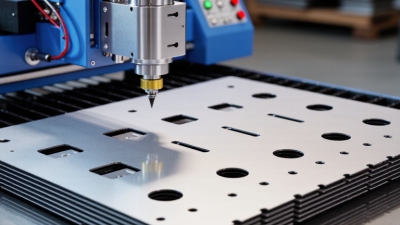
Focus matters. A lens set slightly too high can leave rough edges or fail to cut through. Material thickness, surface condition, and machine power also affect results. A thin sheet of clear acrylic behaves differently from plywood, even at similar settings. Small test pieces help reveal the right speed and power before a full sheet is used. Keep notes. Settings vary.

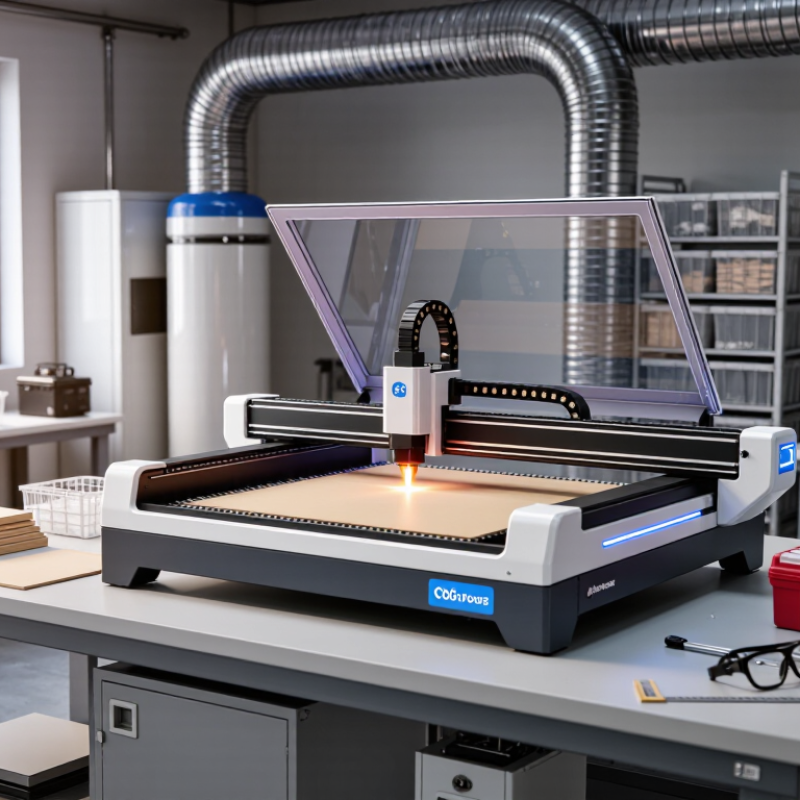
The beam path is only part of the system. A cooling unit helps control tube temperature, while exhaust removes smoke and fumes from the work area. Air assist directs a stream of air at the cut, often reducing scorching and helping clear debris. These components affect usable performance, so consider them when comparing machines. Safety matters, too: an enclosed work area, functioning interlocks, and suitable ventilation are essential. The neat diagram is tidy; real materials can be inconsistent, and cut quality may still need adjustment.

CO₂ Laser Cutter Buying Tip: Understand the Wavelength

CO₂ lasers typically operate at a wavelength of 10.6 μm, which is well suited to cutting and engraving many non-metallic materials. Compare the materials you plan to process with the laser type before choosing a machine; wavelength is one factor, alongside power, optics, and material thickness.

Matching Laser Power and Bed Size to Your Materials

A CO2 laser cutter should match the materials you actually plan to process, not an imagined future workload. Start with their type and maximum thickness. Cutting dense acrylic or thick wood generally needs more power, slower passes, or both. Engraving thin plywood asks for less. Check the machine’s material guidance and test a small offcut before committing a full sheet. Small tests matter. More wattage is not automatically better; excessive power can char edges or melt delicate surfaces. Keep ventilation and focus setup in mind, since clean results depend on more than the power rating.

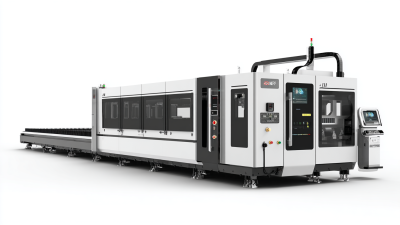
Bed size deserves the same careful thought. Measure your largest sheet, then allow room for alignment and edge clamps. A sheet that barely fits on paper may be awkward to load in practice. Check the usable work area, not just the outside dimensions of the bed. That distinction is easy to miss. If you mostly make small signs, a compact bed may save space and cost. For repeated panel work, extra area can reduce trimming and repositioning. Consider whether the machine can handle your planned stock safely, and confirm that its exhaust setup suits the materials. Choosing a bed that is much too large can waste floor space; choosing one too small can turn every job into a workaround. It is a slightly fussy calculation, but worth doing before purchase.

Assessing Motion Systems, Optics, and Cutting Accuracy

7 Tips for Buying a CO2 Laser Cutter?

A machine’s motion system affects whether a cut stays straight across the whole bed. Check the gantry for play by gently pressing it at both ends. Rails should move smoothly, without binding or rattling. Small details matter. Ask how the machine maintains square alignment, and inspect a test cut near each corner, not just the center. A tidy sample can hide uneven motion.

Optics need equal attention. Look for accessible mirrors and a lens that can be cleaned or replaced without awkward disassembly. Ask how the beam is aligned and how often alignment should be checked. Dust, residue, or a poorly focused beam can widen the cut and leave darker edges. That gap matters. A clear maintenance routine is more useful than a dramatic power claim.

Cutting accuracy depends on the machine and the material. Kerf width, focus height, bed level, and material flatness all affect the final fit. Bring a representative material sample, if possible, and test a small square with slots or measured holes. Check both dimensions and edge quality. Not always. One test cannot predict every job, and even a well-built cutter may need settings adjusted for each material. Ask for repeatability data, then verify it with your own measurements.

Checking Safety Features, Ventilation, and Software

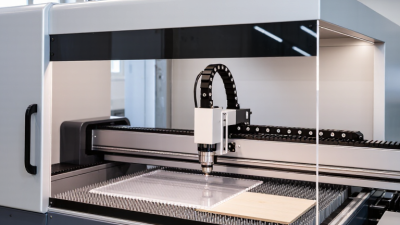
When comparing a CO2 laser cutter, inspect its safety features in person if possible. The lid interlock should stop laser operation when the lid opens; never treat it as optional or bypass it. Check that the emergency stop is easy to reach and clearly marked. Small details matter. Look for clear maintenance instructions and a way to confirm the extraction system is running. A warning light alone does not prove that airflow is adequate. Ask how filters are replaced and where exhaust air should be directed. Smoke can linger, and a faint odor is not a reliable safety test.

Ventilation needs to match the cutter’s work area and materials. Check the recommended airflow, duct size, and filter schedule, then make sure the setup fits your room. Even a strong fan can perform poorly with a long, kinked duct. That is easy to overlook. Software deserves the same careful review. Confirm that it supports your usual file formats and shows a preview of the cutting path before a job starts. A boundary preview helps catch misplaced designs; unit and origin settings help prevent costly surprises. Test settings on scrap material, since saved power and speed values may not suit every thickness. I would not assume the interface is intuitive—try a sample workflow before buying.

Comparing Total Costs, Support, and Upgrade Options

7 Tips for Buying a CO2 Laser Cutter?
Comparing Total Costs, Support, and Upgrade Options

A low purchase price can hide costs that appear after delivery. Compare the full setup, including extraction, cooling, installation, and electrical requirements. Add likely expenses for lenses, mirrors, replacement tubes, and routine servicing. These costs vary with workload and material choices, so request a written estimate based on your intended use. Small costs add up.

Support can matter when a machine stops mid-job. Ask how quickly technical staff respond, which spare parts are stocked, and whether help is available remotely. Request details about onboarding and troubleshooting, not just the warranty period. A quick reply is useful, but clear instructions and parts access matter too. Check what the warranty excludes, including labor and shipping.

Consider upgrades before choosing a model. Ask whether its controller, work area, and cooling system can support planned additions. Get compatibility details in writing; an upgrade that sounds simple may require other components. A larger work area may be tempting, but it is less valuable if your projects stay small. It is easy to overvalue features you rarely use. Keep a modest budget for unexpected setup needs, because estimates can miss a detail.

7 Tips for Buying a CO2 Laser Cutter? - Comparing Total Costs, Support, and Upgrade Options
Tip What to Compare Practical Checks and Benchmarks Questions to Ask Before Buying
1. Match the work area to your materials Usable bed dimensions, pass-through access, and the largest sheet or object you expect to process. Check the usable cutting area rather than the machine’s outside dimensions. Confirm whether long materials can pass through the front or rear and whether the bed supports your intended workpieces. What are the exact usable dimensions? Can the machine handle my largest typical workpiece without repositioning?
2. Compare laser power with the actual job Tube output, material type, thickness, cut quality, and expected production speed. CO2 laser machines are commonly offered in power ranges from around 40 W to more than 150 W. Higher power can improve cutting capability or speed for suitable jobs, but results also depend on optics, focus, material, and machine setup. Can I see a sample cut in my material and thickness? Is the quoted power rated as tube output or another measurement?
3. Calculate the complete setup cost Machine price plus ventilation, cooling, electrical work, air assist, software, delivery, and installation. A CO2 laser setup may require an exhaust system, a compatible cooling system, an air-assist source, and a suitable electrical supply. These requirements vary by machine and workspace, so request an itemized quote. Which accessories are included? What extra equipment, delivery charges, or site-preparation costs should I budget for?
4. Check cooling and ventilation requirements Cooling method, chiller capacity, exhaust airflow, ducting, and workspace requirements. CO2 laser tubes generate heat and need appropriate cooling. Cutting and engraving can also produce smoke and fumes; ventilation must be suitable for the materials being processed and the installation environment. What cooling and exhaust specifications does this model require? Are the recommended systems included, and what materials are not suitable for processing?
5. Evaluate service, warranty, and parts access Warranty coverage, service availability, troubleshooting help, replacement-part supply, and repair responsibilities. Warranty terms can differ for the tube, optics, electronics, and other components. Confirm coverage periods and exclusions in writing, and check whether common replacement parts can be obtained without long delays. What is covered, for how long, and who pays shipping or labor? Which parts are stocked, and what support is available after purchase?
6. Verify software and controller compatibility Supported file formats, operating systems, controller features, workflow, and software licensing. Confirm that the machine can use the design and job-preparation workflow you need. Test file import, job positioning, and power or speed settings before relying on a software claim. Which software and file formats are supported? Are updates or licenses included, and can I test my existing workflow?
7. Plan for upgrades and ongoing ownership costs Upgrade compatibility, maintenance needs, consumables, and the cost of likely future additions. Possible additions include a rotary attachment or upgraded air assist, but compatibility depends on the machine’s hardware and software. Mirrors, lenses, and laser tubes may need cleaning, adjustment, or replacement over time; service life depends on use and maintenance. Which upgrades are compatible with this exact model? What routine maintenance is recommended, and what replacement parts are available?