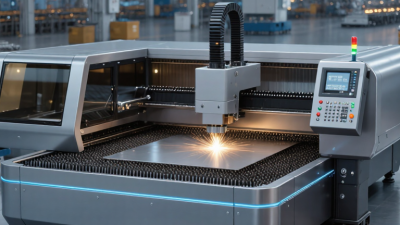
How to Choose the Best Laser Cutting Machine?
Choosing the best Laser Cutting Machine starts with the material on your worktable, not the largest power rating in a brochure. A shop cutting thin stainless-steel tags has different needs from a fabricator processing thick plate all day. Grand View Research’s Laser Cutting Machines Market Size, Share & Trends Analysis Report estimated the global market at about US$5.3 billion in 2023 and projected continued growth through 2030. That is a market forecast, not a promise of profit. Still, it shows why buyers face more choices in laser type, automation, and service support.
Match the machine to your real workload. Check material type, maximum thickness, sheet size, daily operating hours, and required edge quality. Then compare fiber and CO2 systems, cutting speed, power consumption, extraction, software, and maintenance access. Small details matter. A poorly placed service panel can turn a routine lens change into lost production time. Ask suppliers for sample cuts using your own material, and inspect the edge, kerf, and cut consistency rather than relying only on demonstration videos. Request written details for installation, training, warranty, and spare-part availability. The lowest purchase price may not be the lowest operating cost. Yet a more expensive system is not automatically better; it may simply be more machine than your jobs require. There is no perfect machine. Be cautious about forecasts, headline speeds, and impressive showroom samples. A sound decision comes from verified specifications, practical trials, and an honest estimate of total ownership costs.
Define Your Materials, Applications, and Production Goals
Begin with the exact materials you plan to cut, not a machine’s headline power rating. Mild steel, stainless steel, acrylic, and plywood each respond differently to laser energy. Note the material’s thickness, sheet size, surface finish, and whether you need clean edges or tight dimensions. A machine suited to thin sheet metal may not be the right choice for thick plate or detailed work on wood. Small details count.
Next, define the applications. Are you making signs, machine parts, enclosures, or short-run prototypes? Each job sets different demands for cut quality, repeatability, and setup time. A fine kerf may matter for interlocking parts, while a polished edge could be essential for visible acrylic panels. Write down the tolerances and finish you actually need. It is easy to ask for more precision than your products use.
Production goals shape the practical choice. Estimate daily cutting hours, typical batch sizes, and how often materials change. For steady metal production, consider cutting speed, assist-gas needs, loading, and extraction. For varied, smaller jobs, easy setup may save more time than peak speed. Ask for a sample cut using your own material and thickness. Inspect the edge, measure the part, and record the cycle time. One sample is not proof of long-term performance, though; real workloads can expose limits that a showroom test misses.
Compare Laser Types and Their Cutting Capabilities
Laser type determines which materials a machine can cut efficiently. CO2 lasers work well with wood, acrylic, paper, and many textiles. They are common in signmaking and craft workshops. A clean edge on acrylic can look polished, while thicker wood may show scorching if speed or airflow is poorly adjusted.
Fiber lasers are designed mainly for metals, including steel and aluminum. They often cut sheet metal quickly and mark metal surfaces with precision. Results still depend on power, lens choice, assist gas, and material thickness.
Diode lasers suit lighter tasks, such as engraving or cutting thin wood and dark card. Their lower power can make thick stock frustratingly slow. That matters.
Compare real cutting samples, not just advertised maximum thickness. Ask what material, thickness, edge quality, and cutting speed produced each sample. A machine that cuts a thin sheet cleanly may leave rough edges on thicker stock. Ventilation and extraction also affect practical performance, especially when cutting materials that release smoke or fumes. Check material safety guidance before testing an unfamiliar sheet. The simple ranking can mislead: a powerful source is not automatically the best fit for every workshop. A small test grid on your actual material often reveals more than a specification table.
Evaluate Power, Work Area, Precision, and Speed
Power should match the thickest material you actually plan to cut, not an imagined future workload. Higher wattage can cut thicker stock or improve throughput, but it will not fix poor focus, dirty optics, or an unsuitable assist gas. TWI’s technical guidance gives a typical laser kerf width of roughly 0.1–1 mm, depending on material and setup. That small cut width can preserve detail, but test a sample: thin sheets may still warp from heat. A little annoying, yes, but useful to know before buying.
Work area should fit your largest regular sheet, with room for loading and extraction. Precision needs a measurable definition. ISO 9013:2017 assesses thermal-cut edges using characteristics such as perpendicularity and surface roughness; ask suppliers for test results on your material and thickness. Speed figures need the same scrutiny. A published maximum may describe a straight cut in thin stock, not a nested job with corners and pierces. Compare machines using the same file, material, thickness, and edge-quality target. Watch the cut yourself. Check the finished parts with calipers, and note whether repeat runs stay consistent. I’d be cautious about choosing the fastest machine from a brochure alone.
Check Safety Features, Software, and Service Support
A laser cutter should be judged by more than its cutting speed. Check that the enclosure, door interlocks, and emergency stop are clearly documented and easy to inspect. Ask how fumes are extracted and whether the machine pauses when a safety cover opens. Small details matter. Confirm that the operating instructions explain setup, routine cleaning, and safe material choices. A polished demonstration is useful, but it cannot replace clear safety documentation.
Software affects daily work. Try importing a sample design and checking its preview before buying. Look for adjustable power and speed settings, a visible job boundary, and warnings for common setup errors. The interface should make it easy to spot a misplaced design before the laser starts. I would also ask which file types are supported and whether software updates are included. It is easy to overvalue a long feature list; a confusing screen can slow down even simple jobs.
Service support deserves the same scrutiny. Ask about response times, training, replacement parts, and what the warranty covers. Can support staff help diagnose a failed connection or uneven cut remotely? Get the answer in writing. One detail buyers may overlook is who pays for shipping a heavy component. I might miss that question myself, so it belongs on the checklist. Reliable support can matter most after the machine is installed, when a small fault interrupts a real project.
Compare Total Costs and Test Machines Before Buying
The purchase price is only one part of a laser cutter’s cost. Compare quotes that include delivery, installation, extraction equipment, training, and software. Then estimate electricity, replacement lenses, cleaning supplies, and scheduled maintenance. Ask how quickly parts are available and what support covers. These costs can change the real budget. Cheap can become costly.
Test each machine with your own material and a representative design. Bring pieces with different thicknesses, and check edge quality, dimensions, and cutting time. It is tempting to trust a perfect showroom cut, but that proves little. Run several jobs, including one with small details or repeated cuts. Measure the finished pieces, inspect the edges, and note any warping or extra cleanup. Watch how the operator loads material and adjusts settings; awkward steps can slow daily work. Ask for a written record of settings and results. A careful test takes time, but it gives you evidence for comparing performance with the full ownership cost.
How to Choose the Best Laser Cutting Machine? - Compare Total Costs and Test Machines Before Buying
Compare machine types against your actual materials, production needs, and full ownership costs. Performance and operating expenses vary by machine configuration, workload, local utility rates, and material.
| Decision Factor |
CO₂ Laser |
Fiber Laser |
Diode Laser |
| Common applications |
Cutting and engraving many non-metal materials, including wood, acrylic, paper, and some textiles. |
Cutting and marking metals; the suitable thickness depends on laser power, machine design, and material. |
Engraving and light cutting of selected materials, commonly wood, paper, and some opaque plastics. |
| Material limitations |
Standard systems are not a general-purpose solution for cutting bare metal. Verify material compatibility and required assistance gases with the supplier. |
Generally suited to metals, but typically not the right choice for clear acrylic or many non-metal materials. |
Often unsuitable for clear acrylic and efficient metal cutting. Check the exact material and coating before processing. |
| Purchase-cost comparison |
Compare the complete system, including the laser source, motion system, cooling, exhaust, and any required installation. |
Compare the source, cutting head, enclosure, extraction, assist-gas setup, and installation requirements. |
Entry systems can be simpler, but include the enclosure, extraction, motion system, and safety equipment in the comparison. |
| Power and energy cost |
Use the machine’s electrical input rating and expected operating hours; laser output wattage alone does not show total electricity use. |
Include the complete machine and any supporting equipment in the electricity estimate. |
Calculate from the complete machine’s electrical input and expected operating hours, rather than diode output alone. |
| Consumables and maintenance |
Ask about the replacement interval and cost of the laser tube, optics, cooling components, and filters. Actual life depends on use and maintenance. |
Ask about protective windows, cutting-head parts, filters, assist gas, and service requirements. Costs depend on the application and system. |
Check diode-module replacement terms, lenses, filters, belts, and other wear parts; replacement needs depend on workload and care. |
| Total cost of ownership |
Estimate total cost over the same ownership period: purchase price + installation + extraction and safety equipment + energy + materials and assist gases + maintenance and consumables + software or service fees. Subtract any expected resale value only if it can be reasonably supported. |
| Energy-cost formula |
Estimated electricity cost = average electrical input in kilowatts × operating hours × local electricity price per kilowatt-hour. Use measured or documented whole-machine input where possible. |
| What to test before buying |
Bring the exact material and thickness. Test cut quality, edge finish, engraving detail, cycle time, and repeatability. |
Test the exact metal grade and thickness. Check cut quality, edge condition, cycle time, assist-gas use, and repeatability. |
Test the exact material, color, and thickness. Check whether the machine can complete the required cut or engraving safely and consistently. |
| Fair test conditions |
Use samples from your own material supply, the intended design file, and the proposed production settings. Record setup time, processing time, finish quality, failed parts, and material use; repeat the test to check consistency. |
| Supplier questions |
Request a written configuration and quote, electrical input requirements, installation needs, safety documentation, warranty terms, service response expectations, consumable prices, and a documented test using your sample material. |
Cost note: No single price or operating-cost figure applies to every machine. Obtain comparable written quotes and calculate costs using your local electricity, materials, workload, and maintenance requirements. Use appropriate guarding, extraction, and fire-safety measures for the material and machine.